OnlyFans vs Fansly for Creators: Fees, Payouts and Rules (2026)
OnlyFans vs Fansly for creators in 2026: a neutral, sourced comparison of fees, payouts, holds, minimums, discovery, verification and content rules.


Key takeaways
- OnlyFans states a 20% fee in its terms; the Fansly help pages we read do not state a fee percentage.
- Fansly explains getting paid step by step: a 7-day pending period, payouts you request, and a minimum that depends on the method.
- Fansly offers an opt-in For You Page for videos; OnlyFans' discovery tools are not described on the pages we could read.
- A sudden hold or rule change can pause income on any single platform, which is one reason some creators add a second.
On this page
Neither OnlyFans nor Fansly is better for every creator. As of November 2026, OnlyFans states its 20% fee plainly in its terms, while Fansly publishes clearer payout rules and an opt-in For You Page that can show your videos to new fans. The Fansly help pages we read do not state a fee percentage at all.
This guide compares the two side by side on fees, payouts, holds, minimums, discovery, verification and content rules. Every fact links to the platform's own terms or help pages, checked on November 11, 2026. Where neither official source says something, we mark it as not stated instead of repeating numbers from other blogs.
Belnoir runs this blog, so we have kept ourselves out of the comparison. We mention Belnoir briefly at the end as a third option, and nowhere else.
The Short Answer
Neither platform is better for every creator. They lead in different areas.
- OnlyFans states its fee plainly in its terms. Those terms also give it broad power to hold earnings, which is worth reading closely.
- Fansly publishes more practical detail about getting paid, including the pending period, minimums by method and processing times. It also has an opt-in For You Page that can show your videos to fans who do not follow you yet.
If you already have a following on one of them, there is rarely a reason to leave. Some creators keep their main page and add a second platform, which spreads the risk if one of them changes its rules.
Questions to ask any platform
- What is the fee?Find the percentage in the platform's own terms, not a blog.
- Who pays card processing?Check whether anything comes off your share besides the fee.
- How long is the hold?Know how many days a sale takes to clear before you can withdraw it.
- What is the minimum payout?Minimums often change with the payout method you choose.
- When can earnings be held?Read the account suspension and withholding section in full.
- Can fans find you there?Look for built-in discovery tools and what they require.
How We Compared
We checked everything on November 11, 2026, using two kinds of official source: the OnlyFans Terms of Service (marked "Last updated: October 2026") and the Fansly help center. We could not read the Fansly terms page itself, because it loads without readable text, and we could not reach the OnlyFans help center.
That leaves real gaps. The OnlyFans terms mention a minimum payout but not the amount, and they do not describe holds or schedules. The Fansly help pages describe payouts in detail but do not give a fee percentage. Many third-party sites fill those gaps with figures that do not match each other, so we have left them out. In the table, "not stated" means we could not find it on an official page, not that the rule does not exist.
Platforms update their terms often. Treat this as a starting point and check each platform's current pages before you decide. It is general information, not financial or legal advice.
Fees and What You Keep
The OnlyFans terms say its fee "is calculated as 20% of the total User Payment" and is deducted from each payment, so creators keep 80%. The terms do not list a separate card processing charge for creators.
Two smaller costs can still reduce what reaches you on OnlyFans. When a payout needs currency conversion, the terms say the final amount includes conversion fees to cover processing costs and exchange rates, and bank fees on international transfers are the creator's responsibility. And if a fan wins a refund or chargeback, OnlyFans may deduct the creator's share of that payment.
For Fansly, none of the official help pages we read states a fee percentage, including its Get Started Monetizing guide. Third-party sites widely report an 80/20 split, but we could not confirm it on a Fansly page, so we mark it as not stated. If the fee matters to your decision, check it in your Fansly creator settings or the current terms before you start.
For a deeper look at how fees, processing and payout costs add up, see our guide to creator platform fees and payouts.
| OnlyFans | Fansly | |
|---|---|---|
| Platform fee | 20% of each payment | Not stated on official pages we read |
| Separate processing fee to creator | None listed in terms; currency conversion fees on converted payouts | Not stated |
| Hold before earnings clear | Not stated in terms | 7-day pending period per transaction |
| How payouts start | Not stated in terms | You request; usually approved within 48 hours |
| Minimum payout | Minimum exists, amount not stated in terms | $20 to $100 by method |
| Payout methods | Bank or payment method; details not in terms | Bank transfer, Paxum, Cosmopayment, crypto |
| Built-in discovery | Not stated on pages we read | Opt-in For You Page for videos |
| Creator verification | ID, two photos, payout and tax details | ID, selfie with handwritten sign, short video (Ondato) |
| AI-generated content | Allowed only if it clearly features the verified creator and is labeled | Photorealistic AI not allowed, even labeled |
| Promoting other sites | Not confirmed; check current terms | Allowed if the site follows Fansly's terms |
| When earnings can be withheld | If it thinks you have or may have breached the terms | Not stated on pages we read |
Payouts, Holds and Minimums
This is where Fansly is the clearer of the two. Its help center says that after each transaction, "your funds enter a 7-day pending period," and then move to your available balance. You then request a payout yourself from your earnings page, and requests are usually approved within 48 hours. Standard bank transfers typically arrive in one to three business days after processing, and Paxum and Cosmopayment usually arrive within 24 hours. International bank transfers and crypto are sent in batches every three days, and SEPA payouts under $50 wait until they reach $50 or 14 days pass.
Put together, the path for one sale looks like this: the sale sits in pending for seven days, you request a payout once it is available, approval usually comes within 48 hours, and arrival time then depends on the method you picked.
Fansly's minimums depend on the method:
- Paxum, Cosmopayment and local bank deposits in South America and Asia: $20
- SEPA transfers to EU and UK banks: $50
- Crypto: $50 to $100, depending on the coin
- International wire (SWIFT): $100
OnlyFans' terms say your balance "must meet the minimum payout amount requirement" but do not give the amount, the hold period or the schedule. The terms also say OnlyFans may check that your payout details match your ID verification. Because we could not read its help center, we mark those details as not stated rather than guess.
Fansly payout rules
Discovery: Can New Fans Find You?
Fansly describes its For You Page as its built-in discovery system, which recommends videos to fans based on their behavior on the site. It is opt-in: only posts you mark with "Post to FYP" are included. Its help pages add a few requirements:
- Only videos are promoted, and only those between 3 seconds and 10 minutes long.
- Locked videos need a free preview, or they will not appear.
- Private content is excluded, and relevant tags help the system place your posts.
We could not find an official OnlyFans page describing built-in discovery tools, so we mark that as not stated. Whichever platform you choose, most creators still bring their first fans from their own socials and link pages.
Verification and Content Rules
Both platforms verify identity and age before you can earn.
- OnlyFans: a valid ID, two photos of yourself, a payout method and tax documents, with re-verification whenever asked. Anyone who appears with you must be a tagged OnlyFans creator or an adult whose ID and written consent you hold.
- Fansly: an identity and age check through the vendor Ondato, front and back photos of your ID, a selfie holding your ID and a handwritten sign with your legal name, the date and "For Fansly", and a short video holding both.
The clearest content difference is AI. OnlyFans allows AI-made or altered content only if it clearly features the verified creator and is labeled, for example with #ai. Fansly does not allow photorealistic AI content even when labeled, and prohibits deepfakes and face swaps.
On promoting other sites, Fansly's help center says you may share other websites as long as they follow its terms. We could not confirm OnlyFans' current rule, so read its terms before linking anywhere else. If you are thinking about adding a platform, our guide to moving subscribers to a new platform covers how to do it within the rules.
Account Terms: When Earnings Can Be Held
This is the section most creators skip and should not. Under its current terms, OnlyFans may suspend an account, pause payments and "withhold any part of your Creator Earnings" if it thinks you "have or may have breached" the terms. It can also close any account on 30 days' notice for any reason. For legal or risk reasons it may change the terms without notice, and for other material changes it promises reasonable efforts to notify you.
We could not read the Fansly terms, so we cannot say how its rules compare here. Before you rely on either platform for most of your income, read the suspension and withholding sections in full.
None of this means either platform will treat you unfairly. It does mean a single decision can pause your income, which is the strongest practical case for not keeping everything in one place.
A Third Option: Belnoir
If you are weighing a second platform, Belnoir is a newer option, and we will be upfront that it is pre-launch. Creators can sign up, verify their ID and build their page now, but card payments are in test mode while our card processor reviews the business, and our fan audience is still small.
- Fee: 20% on every plan, and card processing is covered by the fan's service fee (10% + $0.35), not taken from you. Pro ($29 a month) and Elite ($79 a month) add tools, not a lower fee. The first 100 creators who claim a founding seat get Pro's tools free for six months, at the usual 20% fee.
- Payouts once payments open: sales clear after 7 days and payouts go out weekly once your tax form is signed. Your first payout comes no sooner than 14 days after your first paid sale and is checked by a person, and the minimum is $20. Paxum is the only payout method today; bank payouts are coming soon.
You can compare the numbers yourself on our fee calculator, read the full rules on creator payouts, or see our wider OnlyFans alternatives comparison. When you are ready, become a creator.
Frequently Asked Questions
Is Fansly better than OnlyFans?
It depends on what you need most. If clear payout steps and a built-in way for new fans to find your videos matter most, Fansly documents both in its help center. If you want the fee spelled out in the terms, OnlyFans does that. Check both platforms' current pages before you choose.
How much does Fansly take from creators?
As of November 2026, none of the official Fansly help pages we read states a fee percentage. Many third-party sites report 20%, but check your Fansly creator settings or its current terms to confirm.
How much does OnlyFans take from creators?
The OnlyFans terms, last updated October 2026, say its fee is 20% of each payment, so creators keep 80%. Currency conversion and international bank fees on payouts can reduce what arrives.
How long does Fansly hold earnings?
Fansly's help center says each transaction enters a 7-day pending period before it moves to your available balance. You then request a payout, which is usually approved within 48 hours.
Can I use OnlyFans and Fansly at the same time?
Using more than one platform is common. Read each platform's current terms on promoting other sites before you link between them, and announce new pages on your own socials and link pages.
Sources
- OnlyFans Terms of Service (Last updated: October 2026), checked November 11, 2026
- Fansly Help: Payout Processing Times (updated July 9, 2026), checked November 11, 2026
- Fansly Help: Where Are My Earnings (September 25, 2026), checked November 11, 2026
- Fansly Help: Requesting a Payout (September 25, 2026), checked November 11, 2026
- Fansly Help: Payout Minimums by Method (page shows "Updated over 3 weeks ago", no calendar date), checked November 11, 2026
- Fansly Help: Alternative Payout Methods (updated December 4, 2025), checked November 11, 2026
- Fansly Help: Get Started Monetizing (December 9, 2025), checked November 11, 2026
- Fansly Help: For You Page (FYP) (no calendar date shown), checked November 11, 2026
- Fansly Help: How Fansly's Recommendations Work (no calendar date shown), checked November 11, 2026
- Fansly Help: Promoting Other Websites (December 2, 2025), checked November 11, 2026
- Fansly Help: AI-Generated Content on Fansly (updated July 8, 2026), checked November 11, 2026
- Fansly Help: How to Apply to Be a Creator (updated August 5, 2026), checked November 11, 2026
Other platforms' terms change. Figures were checked against the sources above on November 11, 2026. This article is general information, not financial, tax or legal advice.
More from the Blog
All articles
Guides
How to Protect Your Content From Leaks (2026 Creator Guide)
How creators protect paid content from leaks: watermarks and leak tracing, blocked downloads, finding copies, DMCA takedown basics and what Belnoir does for you.
· 9 min read
Money
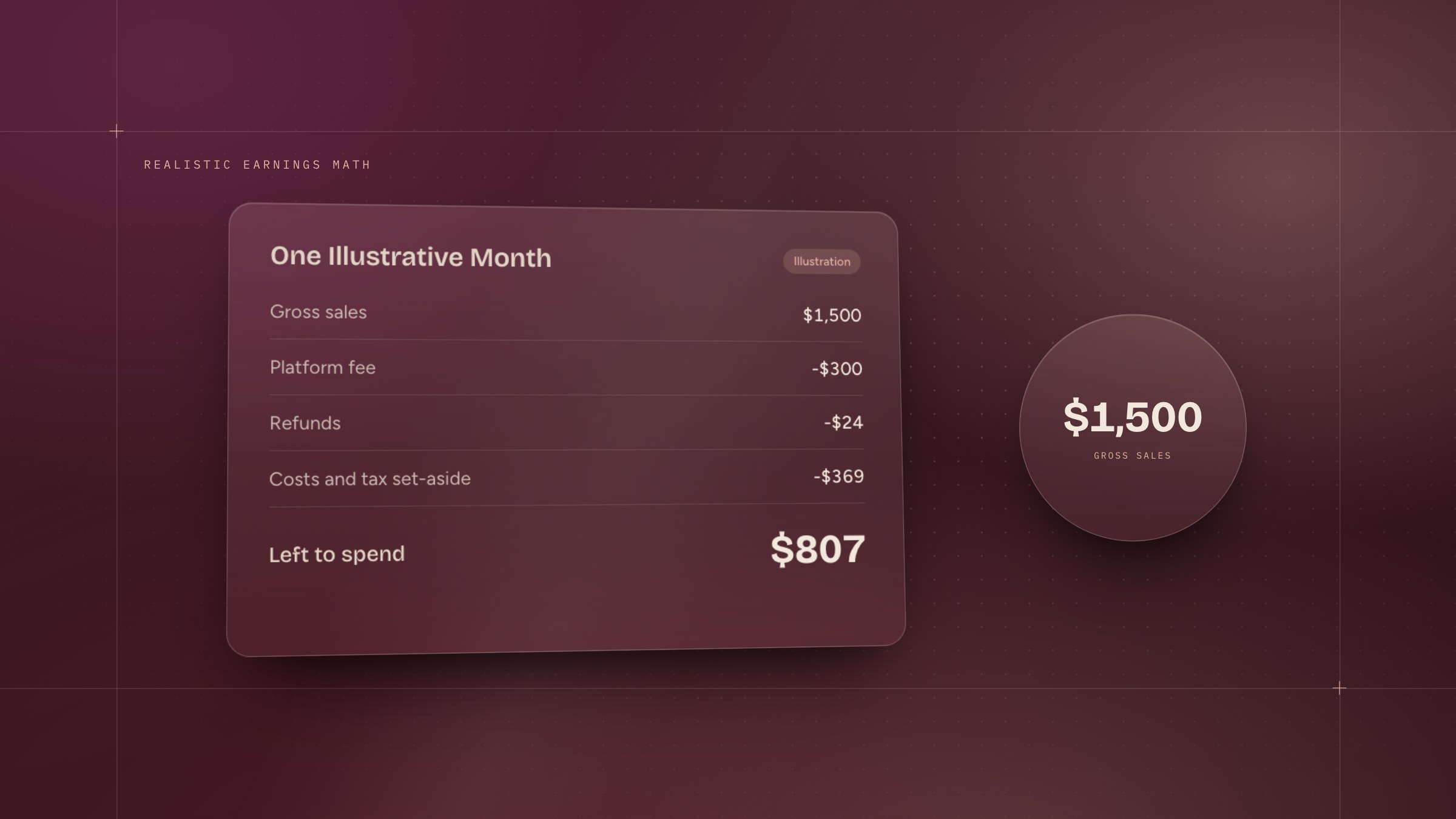
How Much Do Subscription Creators Make? Realistic Math (2026)
How much subscription creators really keep: worked examples of platform fees, refunds, holds, churn, agency cuts and taxes, with IRS sources. Not tax advice.
· 9 min read

Growth
How to Switch From OnlyFans to Another Platform Safely
A practical guide to moving subscribers to a new platform: running two pages side by side, telling fans, pricing a launch offer, timing and what to avoid.
· 9 min read